
The FFC GPIO connector on Nextion Intelligent Series displays is undocumented by Nextion. After an in-depth analysis...
Latest posts
-
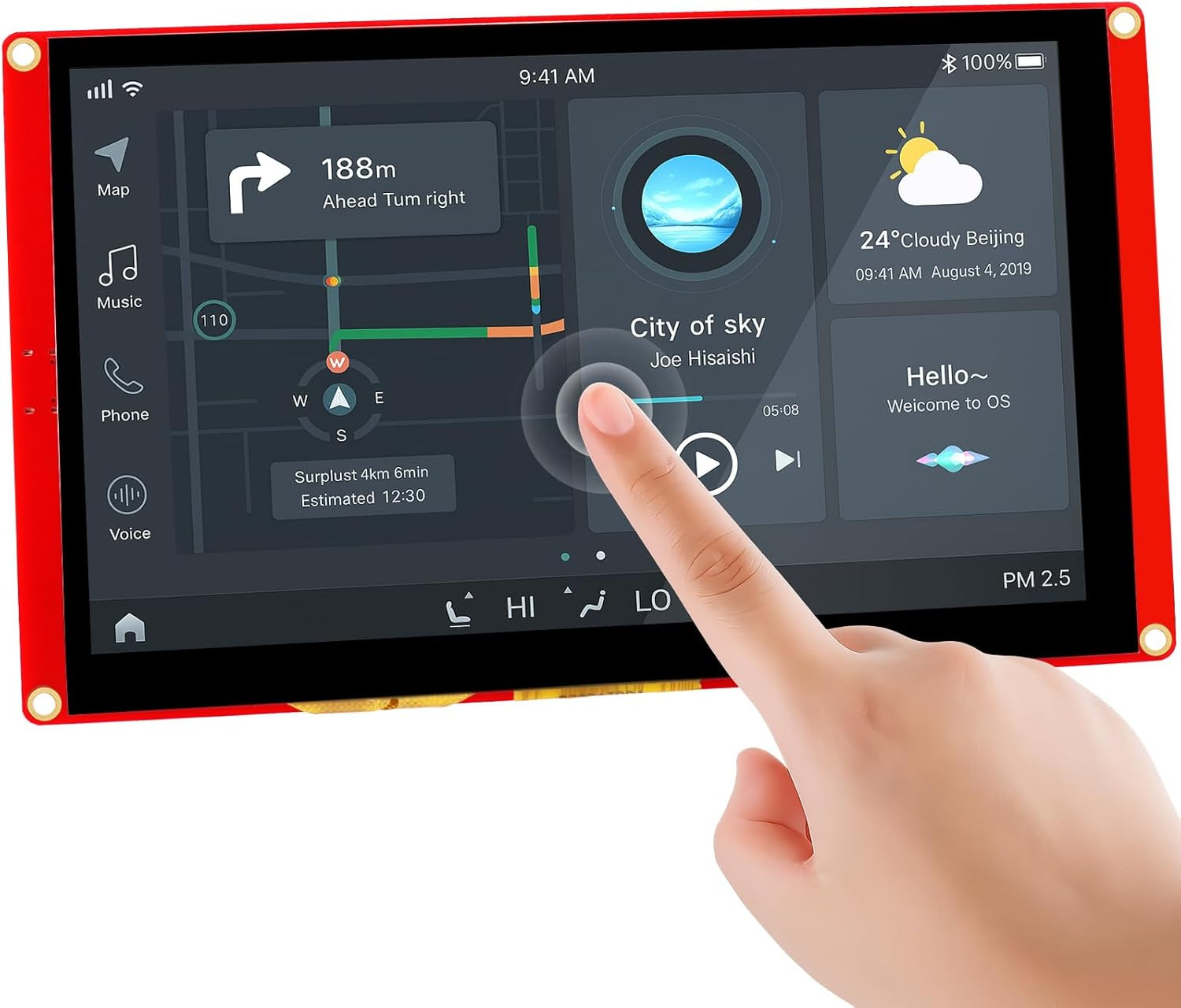 Nextion Intelligent Series: FFC GPIO Connector Pinout - Complete GuideRead more
 -
 Sinden Lightgun: the arcade gun that actually works on any modern TVRead more
Ever tried using an arcade light gun on a modern TV? It doesn't work. The Sinden Lightgun solved this problem in a...
Blog categories
Search in blog
Archived posts
Nextion Intelligent Series: FFC GPIO Connector Pinout - Complete Guide
If you're working with a Nextion Intelligent Series display — such as the popular NX8048P050-011C — and you want to connect the GPIO pins directly without going through the official IO Adapter, you'll eventually hit a wall: the FFC connector pinout is documented nowhere.
Not in the official datasheet, not in the instruction set, not in Nextion's own technical blog. The connector is there, the 10 wires are there, but Nextion has never published which signal corresponds to which pin.
We ran into the same problem. And today, thanks to a customer who tested the solution directly on real hardware, we can finally share a definitive, verified answer.
The problem: 10 pins, zero documentation
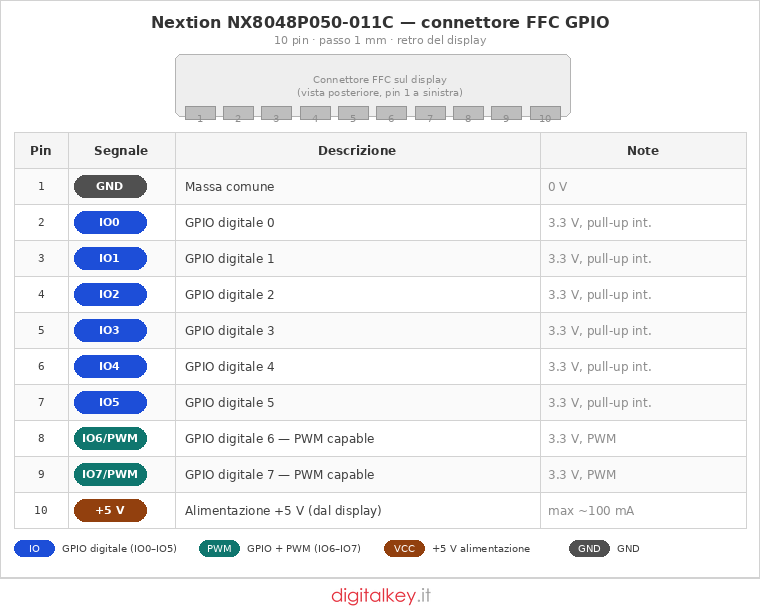
The connector in question is a 10-pin FFC/FPC with 1 mm pitch, located on the back of the display. The signals it carries are well known: GND, +5V, and the eight GPIO pins (IO0 through IO7). But the physical order on the connector? Total silence.
We went through everything available online:
- The official Nextion datasheet: confirms the existence of 8 GPIO + power on a 10-pin, 1 mm pitch FFC connector. That's it.
- Thierry's Sunday Blog (Nextion's own technical blog): explains beautifully how to use the GPIO via
cfgpio, but never mentions the physical pin order. - The official and unofficial Nextion forums (unofficialnextion.com): plenty of usage discussions, no pinout table anywhere.
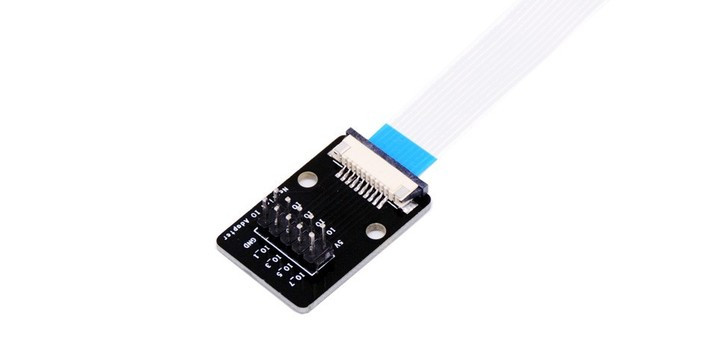
- The official Nextion IO Adapter: the only product that breaks out these signals to a 2×5 header at 2.54 mm pitch — but without any published circuit schematic.
The only solid piece of information we found was that the IO Adapter socket has its pins reversed compared to the display — confirmed by Thierry's blog — to allow back-to-back mounting inside an enclosure. But even that didn't tell us the absolute pin order on the display side.
The solution: a customer with a multimeter (and a lot of patience)
The breakthrough came from one of our customers who had the exact same need: connecting the Nextion GPIO directly to a custom PCB, without using the IO Adapter, and designing their own FFC cable.
He powered up the display, configured the pins one by one using cfgpio and pio, and traced each signal with a multimeter. Result:
FFC connector pinout, display side (pin 1 = left, rear view):
This was also visually confirmed by the silkscreen on the IO Adapter PCB, which shows the same labels on its 2×5 header in mirrored order — exactly as expected with a same-side FFC cable.
The complete technical document
Our customer went one step further: he put together a complete document including a real photograph of the connector on the display, a cable interconnection diagram, commercial part references for connectors and cables, and the full pin correspondence table accounting for the mirroring effect of the same-side cable.
A big thank you to him for taking the time to test, measure, and document everything so precisely. This kind of contribution is genuinely valuable for everyone working with these displays — especially given how little Nextion itself publishes on the subject.
Connectors and cables to buy
For anyone looking to replicate this on their own PCB, here are the part references:
- PCB-side FFC connector: Molex part no. 522711069 (10 pins, 1 mm pitch, ZIF)
- 100 mm FFC cable, same-side contacts: Würth Elektronik part no. 686709100001 (part number changes with cable length)
One important detail: when using a same-side cable (contacts on the same side), the pin numbering is mirrored between the display connector and the user-side connector. Pin 1 on the display corresponds to pin 10 on your PCB, pin 2 to pin 9, and so on.
| Display-side pin | Signal | User-side pin |
|---|---|---|
| 1 | GND | 10 |
| 2 | GPIO 0 | 9 |
| 3 | GPIO 1 | 8 |
| 4 | GPIO 2 | 7 |
| 5 | GPIO 3 | 6 |
| 6 | GPIO 4 | 5 |
| 7 | GPIO 5 | 4 |
| 8 | GPIO 6 | 3 |
| 9 | GPIO 7 | 2 |
| 10 | +5Vdc | 1 |
A few technical notes
The GPIO pins IO0 through IO7 operate at 3.3V logic level — not 5V. The nominal output current is 1 mA per pin: enough for logic signals, but not enough to directly drive optocouplers or relays. For external loads, a buffer or MOSFET driver is required.
IO6 and IO7 support PWM on the Intelligent (P) series. On the Enhanced (K) series, PWM is available on IO4 through IO7.
All Nextion displays available on Digitalkey.it — from the Basic to the Intelligent series — share the same XH2.54 serial connector for UART communication, while the FFC GPIO connector is only present on the Enhanced and Intelligent series.
The +5V on pin 10 is taken directly from the display's power supply rail — useful as a reference or for powering lightweight components, but not designed for significant current draw.
Looking for a ready-to-use solution?
The official Nextion IO Adapter is available on Digitalkey.it →
Download the document
Download the complete technical document (PDF)
GPIO Interconnection — Nextion Intelligent Series: schematics, photos, connector references
Special thanks to Mr. Angelo Adamo for the tests carried out directly on the hardware and for writing the technical document.
Have you tested this pinout on other Intelligent or Enhanced Series models? Get in touch — we'll update the article with your findings.
Posted in:
Guides
Leave a comment